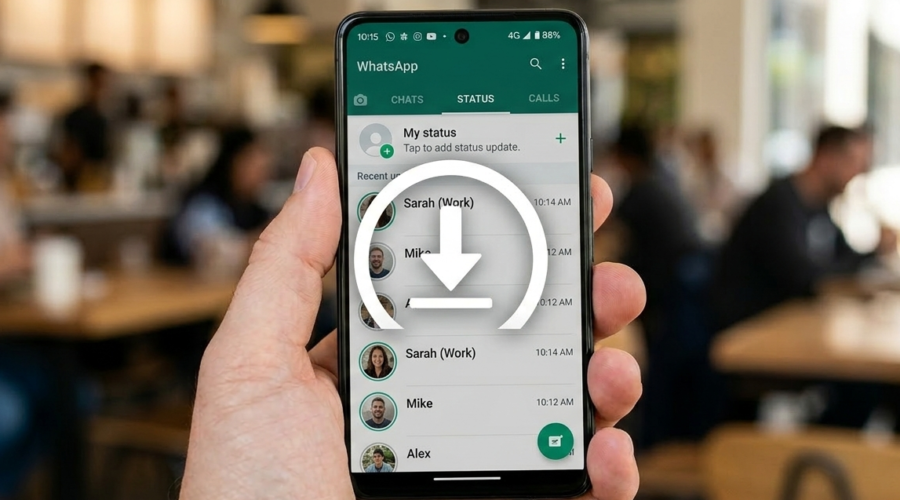
Ever spotted a brilliant WhatsApp status video from a friend, only to watch it vanish 24 hours later before you could do anything about it? You are far from alone. With over 2 billion active WhatsApp users globally, status videos have become one of the most popular ways to share moments, and millions of people wish they could hold onto them longer.
The frustrating reality is that WhatsApp does not provide a native save button for status content. This makes it especially tricky for OnePlus users, who run OxygenOS, a flavor of Android that handles file permissions slightly differently from stock Android. Whether you want to keep a funny clip, a motivational video, or a treasured memory shared by a loved one, there are reliable ways to do it.
In this guide, you will learn how to save WhatsApp status video on OnePlus using both dedicated apps and a manual file manager method. You will also see a side-by-side comparison of both approaches so you can choose the best option for your needs.
Understanding Why WhatsApp Status Videos Are Hard to Save on OnePlus
Before diving into the solutions, it helps to understand why this is a problem in the first place. WhatsApp status videos are not hidden by accident. The platform deliberately restricts access to status media to protect user privacy. However, that does not mean saving them is impossible, it just means you need to know where to look.
How WhatsApp Stores Status Videos on Your OnePlus Device
When you view a friend’s WhatsApp status, the video file is temporarily cached on your OnePlus device in a hidden folder. This folder is typically located at /Android/media/com.whatsapp/WhatsApp/Media/.Statuses on Android 11 and above. The dot before “Statuses” makes it a hidden directory, which means it does not show up in most standard gallery apps or file browsers by default.
OnePlus devices running OxygenOS 13 or OxygenOS 14 (based on Android 13 and 14 respectively) apply strict scoped storage policies. This means that unlike older Android versions, apps and users cannot freely browse into other apps’ data directories. According to Android Developer documentation, scoped storage was enforced starting with Android 11, making it harder for manual access without the right approach.
This is why a method that worked on an older OnePlus 7 running Android 10 may not work on a OnePlus 12 running Android 14. The architecture has changed, and your approach needs to account for that.
The 24-Hour Disappearing Problem
WhatsApp status content, including videos, disappears automatically after 24 hours. Once that window closes, the cached file is also cleared from the hidden folder. This creates a strict time pressure: you need to act before the status expires and the file is purged.
Research from Statista highlights that WhatsApp sees more than 500 million daily status updates. That is an enormous amount of video content vanishing every day. For users who want to save WhatsApp status video content, the 24-hour window is not very forgiving if you do not have a reliable method ready.
Why the Built-in OnePlus Gallery Cannot Help
The OnePlus Gallery app is a polished, feature-rich application. However, it cannot access the WhatsApp status cache folder due to the same scoped storage restrictions mentioned above. Even if you share a status from WhatsApp directly, there is no built-in “save to device” option. You need either a purpose-built status saver app or a file manager that can display hidden directories, which we will cover in the next sections.
How to Save WhatsApp Status Video on OnePlus Using Hot Status Saver
The easiest and most reliable way to save WhatsApp status video on OnePlus is by using a dedicated status saver app. Apps built for this purpose are designed to handle the storage permission requirements of modern Android, and they take the guesswork out of the process entirely.
Hot Status Saver: The Best App for OnePlus Users
Hot Status Saver is one of the cleanest, most privacy-focused WhatsApp status saver apps available on Google Play in 2026. It has been downloaded over 500,000 times and holds a 4.8-star rating, which reflects just how well it performs for everyday users.
What makes Hot Status Saver stand out from similar apps is its completely offline approach. No data is ever uploaded to a server. Everything stays on your device. For anyone concerned about who can see their saved media, this is a critical advantage.
Key features include:
- Auto-detection: The app detects photo, video, and GIF statuses in the background while you browse WhatsApp normally.
- One-tap save: Tap the download icon next to any status to save it instantly at full original quality, with no compression or watermarks.
- 100% private and offline: No account, no sign-in, no cloud upload. All saved media stays locally on your OnePlus device.
- Organized gallery: Browse your saved statuses by type (photos, videos, GIFs) and share or delete content in bulk.
- AMOLED dark mode: Designed to work beautifully on the AMOLED displays used across the OnePlus lineup.
Download Hot Status Saver for free and start saving status videos on your OnePlus phone today. Compatible with Android 5.0 and above, no root required.
Step-by-Step: How to Use Hot Status Saver on OnePlus
Getting started takes less than two minutes. Follow these steps carefully:
- Download the app: Visit hotstatussaver.com or search for “Hot Status Saver” on the Google Play Store. Install the free app.
- Grant storage permission: On first launch, the app will ask for storage access. Tap “Allow” when prompted. This is required for the app to detect WhatsApp status files.
- Open WhatsApp and browse statuses: Open WhatsApp normally and view the statuses you want to save. Viewing them is important; WhatsApp only caches statuses after you open them.
- Return to Hot Status Saver: Open the app. All detected statuses will appear in the main screen, sorted by type.
- Tap the download icon: Tap the arrow/download icon on any video status. It saves instantly to your gallery in the original MP4 format, with full audio and no quality loss.
The entire process is straightforward, and you do not need to be technically minded to get it working. For a broader look at saving statuses across all Android devices, check out this complete guide to saving WhatsApp status photos and videos on Android.
Tips for Getting the Best Results on OnePlus
A few practical tips will make sure things go smoothly on OnePlus devices specifically:
- Always view the status in WhatsApp first before trying to save it. If you have not opened the status, it may not appear in the saver app.
- If you do not see a status you just viewed, force-close Hot Status Saver and reopen it to refresh the detected files list.
- On OxygenOS 14 (Android 14), if the app asks for permission a second time after an OS update, grant it again. Android 14 reset certain media permissions for all apps.
- Save statuses sooner rather than later, ideally within a few hours of viewing, before the 24-hour window closes and WhatsApp purges the cached file.
How to Save WhatsApp Status Video on OnePlus Manually (File Manager Method)
If you prefer not to install a third-party app, there is a manual method using the OnePlus built-in file manager. This method works on OnePlus devices running Android 11 and above, but it requires an extra step to enable access to hidden folders.
Using the OnePlus Files App to Find Hidden Statuses
The OnePlus Files app (sometimes listed as “File Manager” in the app drawer) supports showing hidden folders, which is exactly what you need to access the WhatsApp Statuses directory.
- Open the Files app on your OnePlus device.
- Tap the three-dot menu (top right) and select Settings or Show hidden files, depending on your OxygenOS version.
- Enable Show hidden files/folders.
- Navigate to:
Internal Storage > Android > media > com.whatsapp > WhatsApp > Media > .Statuses - You will see the status files cached from WhatsApp. Video files are in
.mp4format. - Long-press any file and tap Copy or Move, then paste it to a location of your choice, such as your Downloads folder or DCIM folder so it appears in your gallery.
This method requires no app installation and works entirely within OxygenOS. However, it is more cumbersome than using a dedicated app, especially if you want to save multiple statuses quickly.
Limitations of the Manual Method
The manual method has a few notable drawbacks compared to using a purpose-built app like Hot Status Saver:
- It is slower and requires navigating deep into the file system every time.
- There is no preview or thumbnail, so you have to remember which file is which.
- On some OnePlus devices running Android 13 or 14, the
.Statusesfolder may be restricted even with hidden files enabled, due to stricter scoped storage enforcement. - You cannot bulk save or organize files from within the file manager as easily.
For occasional use, the manual method is fine. For regular use, a dedicated app is far more practical.
Comparison: App Method vs. Manual Method for OnePlus
Choosing the right method depends on how often you save statuses and how comfortable you are with manual file navigation. Here is a clear breakdown:
| Criteria | Hot Status Saver App | Manual File Manager Method |
|---|---|---|
| Ease of use | Very easy, one-tap save | Moderate, requires file navigation |
| Speed | Instant with auto-detection | Several steps per file |
| Works on Android 14 | Yes, fully compatible | Partial, may face restrictions |
| Privacy | 100% offline, no cloud | Stays local, no app involved |
| Bulk saving | Yes, bulk save supported | Manual, one file at a time |
| Cost | Free | Free (built-in) |
| Thumbnail preview | Yes | No |
For most OnePlus users, the app method using Hot Status Saver is clearly the better option. It is faster, easier, and more reliable across all OxygenOS versions. The manual method is a useful backup if you ever need it, but it should not be your primary approach.
Frequently Asked Questions About Saving WhatsApp Status Videos on OnePlus
Is It Legal to Save Someone’s WhatsApp Status Video?
Saving a WhatsApp status for personal use is generally acceptable in most countries. However, sharing someone’s status without their permission may raise privacy and copyright concerns. Always use saved content responsibly and respect the privacy of the person who posted it.
Does Saving a WhatsApp Status Notify the Person?
No. WhatsApp does not send any notification when someone saves your status video. The person whose status you save will never know unless you tell them directly.
Why Can’t I See the WhatsApp Statuses Folder on My OnePlus?
If you cannot find the .Statuses folder even after enabling hidden files, your OnePlus device is likely running Android 13 or 14 with strict scoped storage. In this case, using Hot Status Saver is the most reliable workaround, as it is specifically built to handle these permissions correctly.
Can I Save WhatsApp Business Status Videos on OnePlus?
Yes. Hot Status Saver works with both personal WhatsApp accounts and WhatsApp Business accounts. The detection and save process is identical for both.
Does the App Work Without an Internet Connection?
Yes. Hot Status Saver works entirely offline. It does not require an internet connection to detect or save status videos, and it never uploads your media anywhere. For users who value digital privacy, this is a major advantage. You can read more about how the app handles your data in their Privacy Policy.
Conclusion
Knowing how to save WhatsApp status video on your OnePlus device is a genuinely useful skill in 2026, especially as more people use WhatsApp status as their primary way to share moments. Whether you choose the fast, automated route with Hot Status Saver or the manual file manager method as a backup, you now have everything you need to never miss a status video again.
The app method is clearly the winner for everyday use. It is fast, free, privacy-first, and built to handle modern OxygenOS storage permissions without any fuss. Download Hot Status Saver for free today and start saving WhatsApp status videos on your OnePlus in seconds. Your gallery will thank you.