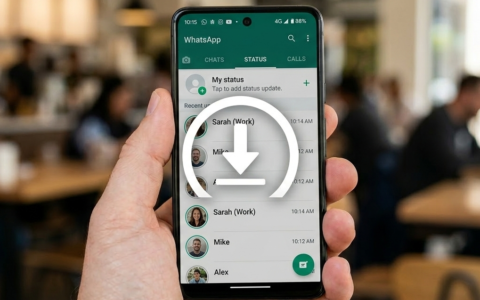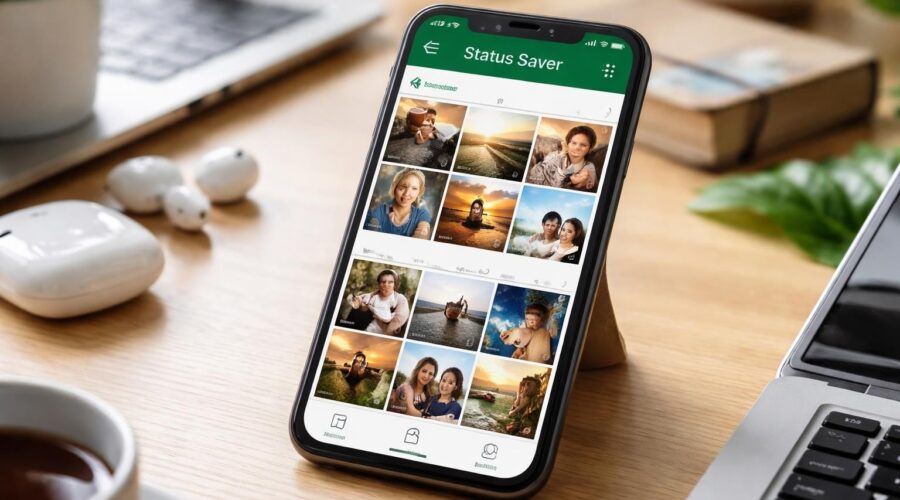
WhatsApp status updates have become a primary way people share moments, announcements, and creative content with their contacts. These posts disappear after 24 hours, creating a challenge for users who want to preserve meaningful memories or important information. A status saver app download solves this problem by automatically detecting and saving these temporary posts before they vanish. With the right app, you can build a personal archive of photos, videos, and GIFs that matter most to you, all while maintaining your privacy and working entirely offline.
Understanding Status Saver Applications
Status saver applications are specialized tools designed to capture WhatsApp status updates that would otherwise disappear permanently. These apps work by accessing the temporary files WhatsApp creates when you view someone’s status, then organizing and saving them to your device’s permanent storage.
The fundamental appeal of these applications lies in their simplicity and efficiency. Instead of taking screenshots or screen recordings, which compromise quality and require manual effort, status saver apps automate the entire process. When you complete a status saver app download, you gain immediate access to all viewable statuses from your contacts.
How Status Detection Works
Modern status saver apps utilize Android’s file system permissions to monitor the WhatsApp status directory. When contacts post new statuses and you view them, WhatsApp temporarily stores these files on your device. The saver app detects these files, copies them, and organizes them in a dedicated gallery.
 This process happens automatically in the background without requiring constant user intervention. Once you’ve completed your status saver app download and granted the necessary permissions, the app continuously monitors for new content.
Key Features to Evaluate Before Download
Not all status saver applications offer the same capabilities or user experience. Understanding which features matter most helps you select the right tool for your needs.
| Feature Category | What to Look For | Why It Matters |
|---|---|---|
| Detection Speed | Instant recognition of new statuses | Ensures you never miss time-sensitive content |
| Media Support | Photos, videos, GIFs, and text statuses | Complete coverage of all status types |
| Privacy Protection | Offline operation, no cloud uploads | Keeps your saved content completely private |
| Storage Organization | Automatic categorization and dating | Easy retrieval of specific statuses later |
| User Interface | Clean, intuitive navigation | Reduces learning curve and saves time |
Privacy and Security Considerations
Privacy should be a paramount concern when choosing a status saver app download. The best applications operate entirely offline, meaning your saved content never leaves your device. This approach eliminates risks associated with cloud storage, including potential data breaches, unauthorized access, or third-party data mining.
Legitimate status saver apps also avoid requiring login credentials, personal information, or unnecessary permissions. They should only request access to storage and media files, which are essential for their core functionality. Apps that demand contacts, phone identity, or internet permissions when they claim to work offline warrant suspicion.
Installation and Setup Process
The installation process for status saver applications follows standard Android app procedures, but proper setup ensures optimal performance and security.
Downloading from Official Sources
Always prioritize downloading status saver apps from official sources like the Google Play Store. This approach provides several critical advantages:
- Verified developers who have passed Google’s security screening
- Regular updates that address bugs and compatibility issues
- User reviews offering real-world performance insights
- Automatic updates ensuring you have the latest features
After completing your status saver app download from an official source, the installation proceeds automatically. The app will then guide you through initial setup, which typically involves granting storage permissions.
Permission Configuration
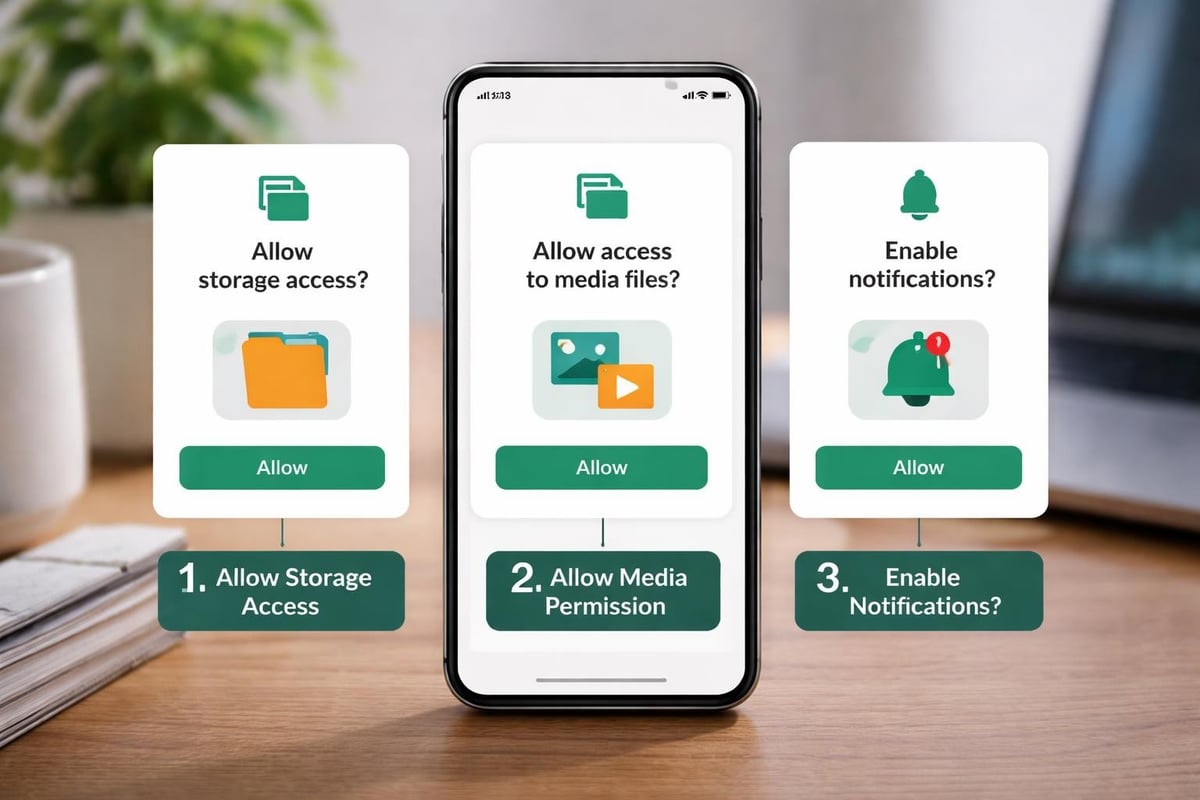
Status saver apps require specific permissions to function properly. Understanding these requirements helps you make informed decisions about what to authorize:
- Storage access enables the app to read WhatsApp’s temporary files and save statuses to your device
- Media file access allows organization and display of saved photos, videos, and GIFs
- Notification access (optional) can alert you to new statuses from favorite contacts
You can always review and modify these permissions through your device’s app settings after completing the status saver app download.
Operational Workflow and Daily Use
Once configured, status saver apps integrate seamlessly into your daily WhatsApp routine. The workflow becomes second nature within days of completing your status saver app download.
Viewing and Saving Statuses
The standard workflow follows this pattern:
- Open WhatsApp and view statuses normally from your contacts
- Switch to Hot status saver app
- Browse newly detected statuses in the app’s gallery
- Select specific items to save permanently or save all automatically
- Access your saved collection anytime from the app’s organized library
Most quality apps offer both manual selection and automatic saving modes. Automatic mode preserves everything you view, while manual mode gives you granular control over what gets saved permanently.
Organization and Management
After weeks or months of use, your saved status collection can grow substantially. Effective organization features become essential for managing this content library. The best status saver apps automatically organize saved items by:
- Contact name, making it easy to find all statuses from specific people
- Date saved, allowing chronological browsing
- Media type, separating photos, videos, and GIFs
- Favorites or custom tags, for marking especially important content
This organizational structure transforms your saved statuses from a chaotic pile into a searchable archive you can reference years later.
Performance and Storage Optimization
Regular use of status saver apps inevitably consumes device storage. Understanding how to manage this impact ensures long-term usability without compromising your device’s performance.
Storage Impact Analysis
Different media types consume varying amounts of storage space:
| Media Type | Average Size | 100 Items Storage Requirement |
|---|---|---|
| Photos | 200-500 KB | 20-50 MB |
| Short Videos (15 sec) | 2-5 MB | 200-500 MB |
| Long Videos (30 sec) | 5-12 MB | 500 MB – 1.2 GB |
| GIFs | 1-3 MB | 100-300 MB |
A month of active status saving might accumulate 1-3 GB of content depending on your viewing habits and the media types your contacts share most frequently. Learn more about managing saved content through our detailed guides.
Optimization Strategies
Implementing smart storage management practices extends your device’s capacity without requiring constant manual cleanup:
- Set automatic deletion periods for statuses older than 30, 60, or 90 days
- Enable quality compression for videos to reduce file sizes by 30-50% without noticeable degradation
- Regularly transfer important saves to cloud storage or computer backup
- Use selective saving mode for contacts whose statuses you want to preserve long-term
These strategies maintain a balance between preserving meaningful content and managing limited device storage.
Common Issues and Troubleshooting
Even after a successful status saver app download, users occasionally encounter technical challenges. Most issues have straightforward solutions.
Detection Problems
If your status saver app isn’t detecting new statuses, verify these common causes:
Permission resets sometimes occur after system updates. Navigate to your device settings and reconfirm storage permissions for both WhatsApp and your status saver app.
WhatsApp updates occasionally change the temporary storage location. Check for updates to your status saver app, as developers quickly adapt to WhatsApp modifications.
Storage space limitations can prevent WhatsApp from caching statuses. Free up at least 500 MB to ensure smooth operation.
Quality and Compatibility
Modern status saver apps maintain original quality for all saved media. If you notice quality degradation, check your app settings for compression options that might be enabled by default. Disabling compression preserves original resolution and bitrate.
Device compatibility varies based on Android version and manufacturer customizations. Most reliable apps support Android 5.0 and above, covering approximately 98% of active devices in 2026. Before completing your status saver app download, verify compatibility in the app listing details.
Legal and Ethical Considerations
Understanding the legal and ethical framework surrounding status saving helps users make responsible decisions about downloading and sharing content.
Copyright and Personal Rights
When you save someone’s status, you’re creating a copy of their content. While this is generally legal for personal use, sharing that content publicly or commercially without permission may violate copyright laws or personal rights. Consider these guidelines:
- Personal archiving of statuses from friends and family for your own reference falls within fair use in most jurisdictions
- Redistribution of saved statuses to social media, messaging groups, or public platforms without the creator’s permission violates both copyright and privacy expectations
- Commercial use of saved status content absolutely requires explicit permission from the original creator
Respecting content ownership maintains trust within your social network and avoids potential legal complications.
Privacy Expectations
WhatsApp statuses have an implied privacy model built around their 24-hour expiration. People share content expecting it to disappear automatically. When you save statuses, you’re changing that dynamic. Ethical use means:
- Not sharing saved statuses with people who weren’t in the original audience
- Respecting requests from contacts who prefer their statuses not be saved
- Being transparent if you plan to reference or use someone’s status content
Advantages of Offline Operation
One of the most significant benefits you’ll experience after completing a status saver app download is offline functionality. Understanding why this matters helps you appreciate the technology’s value.

Privacy Protection Through Local Storage
Offline operation means every status you save remains exclusively on your device. There’s no server upload, no cloud synchronization, and no possibility of third-party access. This architecture provides several critical advantages:
Complete privacy since no external entity ever sees your saved content or knows what you’re saving. Your viewing and saving habits remain entirely confidential.
No account requirements eliminate the privacy risks associated with creating profiles, sharing email addresses, or linking social media accounts.
Zero data monetization prevents the app developer or third parties from analyzing, selling, or advertising based on your saved content patterns.
Hot Status Saver exemplifies this privacy-first approach, operating entirely offline while maintaining fast detection and organization capabilities. The app provides instant access to your saved statuses without ever requiring an internet connection after the initial status saver app download.
Performance Benefits
Offline apps typically perform faster than cloud-dependent alternatives because they eliminate network latency. Status detection, saving, and browsing all happen at local storage speeds, which are significantly faster than internet transfer rates.
Battery life also improves with offline operation since the app doesn’t constantly sync data to remote servers. Background network activity is one of the primary battery drains on modern smartphones, so eliminating this requirement extends your device’s battery life between charges.
Comparing Free and Premium Options
The status saver app market offers both free and premium options. Understanding the value proposition helps you decide which approach fits your needs.
| Feature | Free Apps | Premium Apps |
|---|---|---|
| Basic status saving | Full functionality | Full functionality |
| Advertisements | Present (usually banner ads) | Ad-free experience |
| Advanced organization | Limited categories | Comprehensive tagging and filtering |
| Cloud backup integration | Rarely included | Often available |
| Priority updates | Standard release schedule | Early access to new features |
| Customer support | Community forums | Direct developer support |
For most users, free status saver apps provide complete functionality for their core needs. Premium versions typically offer convenience features rather than essential capabilities. Before paying for premium access, use the free version for at least two weeks to determine whether the additional features justify the cost.
The Hot Status Saver approach demonstrates that free apps can deliver professional-grade functionality without compromising on speed, privacy, or reliability.
Future Developments in Status Saving Technology
The status saver app landscape continues evolving as developers respond to user feedback and platform changes. Emerging trends for 2026 and beyond include several promising directions.
Enhanced Detection Intelligence
Next-generation apps are implementing smarter detection algorithms that can:
- Identify duplicate statuses when the same content is reposted
- Recognize text within images using OCR for searchability
- Detect faces and suggest automatic contact tagging
- Group related statuses into automatic collections (like vacation series or event coverage)
These intelligence features transform status saver apps from simple copying tools into sophisticated content management systems.
Cross-Platform Compatibility
While WhatsApp remains the primary focus, developers are exploring status saving capabilities for other platforms with ephemeral content. Instagram Stories, Facebook Stories, and Snapchat present similar preservation challenges that could benefit from automated saving technology.
Integration with Backup Systems
Future status saver apps may offer seamless integration with existing backup solutions, automatically syncing saved statuses to Google Photos, Dropbox, or OneDrive while maintaining privacy controls. This would provide redundancy without requiring manual file transfers.
Making the Right Choice for Your Needs
With dozens of status saver options available, selecting the right app for your specific requirements ensures the best experience after completing your status saver app download.
Assessment Framework
Evaluate your priorities across these dimensions:
Volume expectations: How many statuses do you typically view daily? Heavy users need robust apps with excellent performance at scale.
Privacy sensitivity: How important is offline operation and zero data sharing? Privacy-conscious users should exclusively consider apps with no cloud components.
Organization needs: Do you want simple chronological saving or sophisticated categorization? Your organizational habits determine which features matter most.
Device storage: How much space can you dedicate to saved statuses? Storage-constrained devices benefit from apps with built-in compression and automatic cleanup.
For comprehensive guidance on maximizing your status saving experience, explore our complete WhatsApp status saving guide covering advanced techniques and optimization strategies.
Testing Before Committing
Before settling on a particular status saver app download for long-term use, test multiple options. Install two or three highly-rated apps and use them in parallel for one week. This comparison period reveals practical differences in detection speed, interface usability, and feature value that aren’t apparent from descriptions alone.
Pay attention to which app you naturally reach for first when checking saved statuses. This instinctive preference often indicates superior design and workflow integration.
Selecting the right status saver app download transforms how you preserve and access important WhatsApp content, ensuring memorable moments and valuable information remain accessible beyond their 24-hour lifespan. Hot Status Saver delivers fast, private, and reliable status saving that works completely offline, giving you full control over your saved content without compromising privacy or requiring complicated setup. Download the app today and never lose another meaningful status update.